Your First Dressmaker Commission: Rose
Rose's workwear request teaches the core loop: listen to a customer, plan a dress, make it, and compare the result with the brief. This walkthrough uses screenshots captured from the browser-hosted prototype.
1. Read Rose's request before designing
Rose says she is beginning a librarian job and wants something suitable for the workplace. The screenshot shows a budget of 300. The decision to make first is the purpose of the dress: workwear. Keep that purpose in mind as you experiment with the sketchbook.
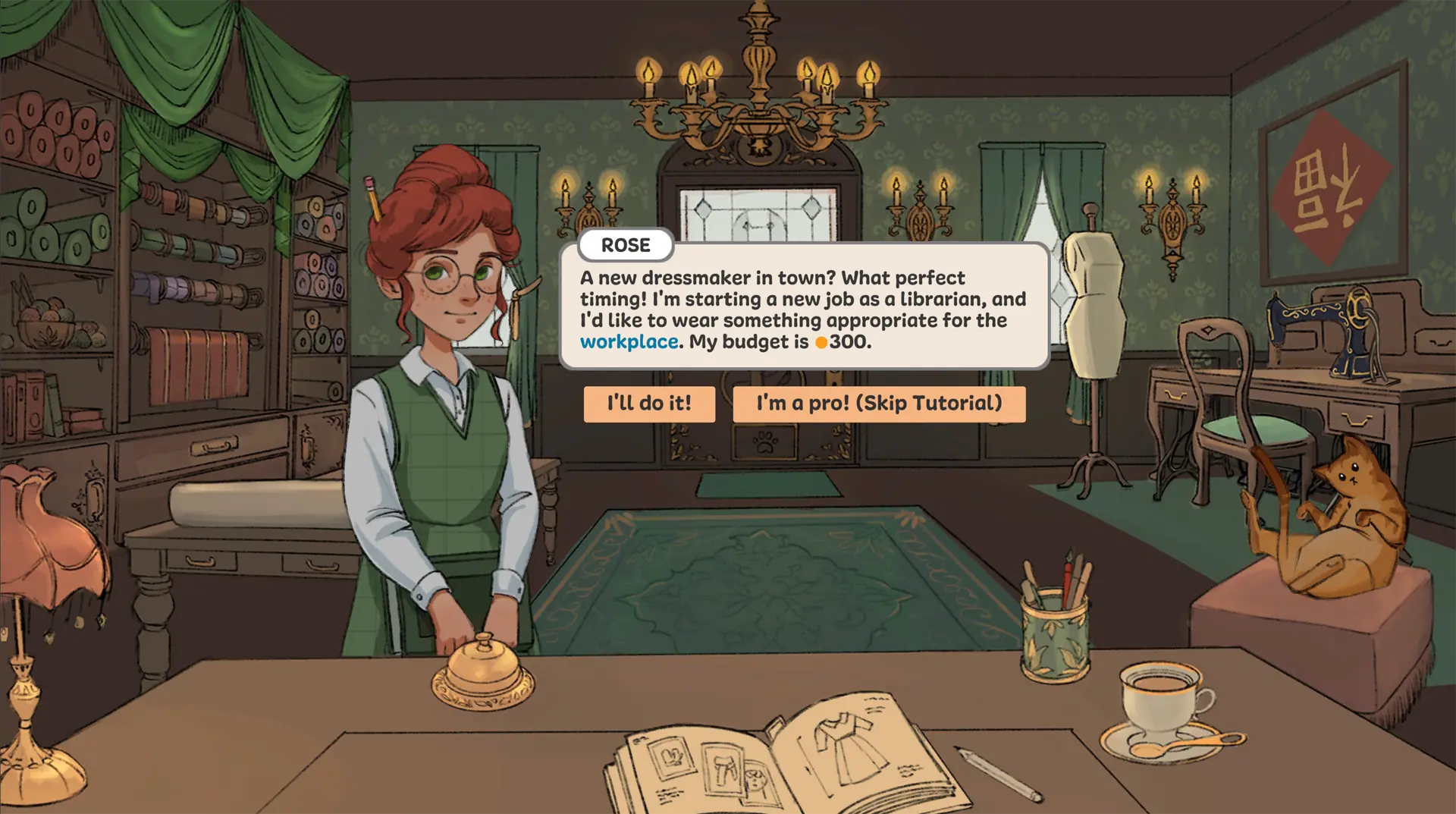
Accept the tutorial if this is your first time. It introduces the sequence of actions in the build you are playing. If you skip it, the same guiding question still helps: what visible requirements will the finished dress need to satisfy?
Two details in this brief are worth keeping in mind for later. The budget is shown in the same panel as the message, so it is a limit you will feel during the design stage rather than a surprise at the end. And “workwear” is a category the game itself understands — it will tag your design accordingly, which gives you an early signal that you are heading in the right direction.
2. Use the sketchbook as a checklist
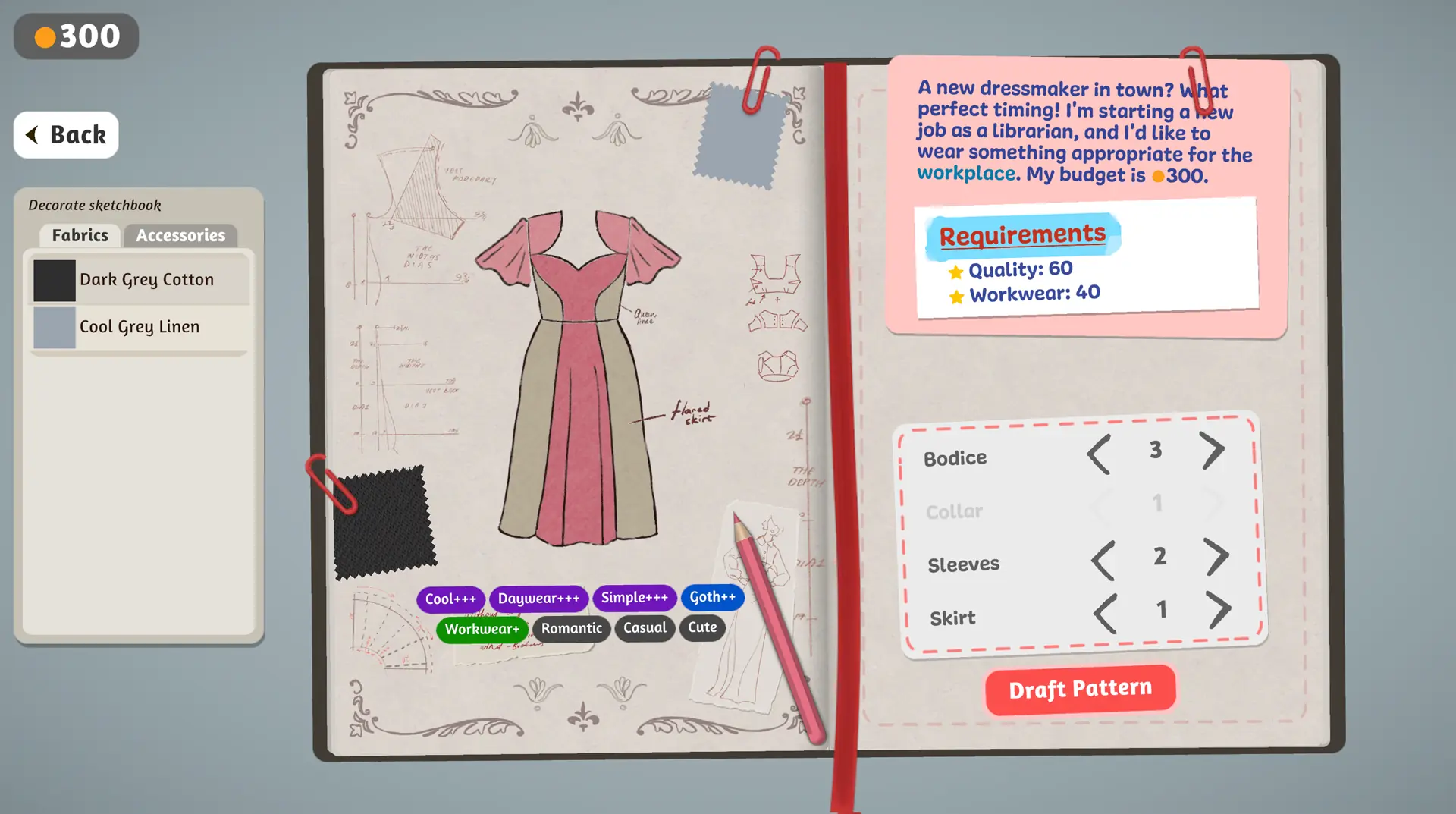
The sketchbook screen shows the customer's note beside a requirements panel. In the example image, the visible targets are Quality 60 and Workwear 40. Treat these numbers as goals for this particular commission, not universal thresholds for every customer.
- Choose a starting silhouette that suits the workplace request.
- Compare fabrics in the sketchbook rather than judging a swatch alone.
- Check the visible style tags and requirements as you adjust the bodice, sleeves and skirt.
- Before advancing, look at the full design and confirm it still serves Rose's brief.
There is one small trap on this screen. The control panel in the screenshot shows four dress parts — Bodice, Collar, Sleeves and Skirt — but the Collar row is greyed out in this captured state. A faded control is not a button that needs another click; it is a part that is unavailable for the current combination. Move on rather than trying to force it.
3. Draft the pattern, cut and sew
Pressing Draft Pattern converts the design you approved into pattern pieces you lay out on fabric. From here the prototype guides you through placement, cutting and sewing, and it is the point where the fabric and layout decisions start to show on the finished garment.
Work at a deliberate pace. The sewing step asks for continuous, controlled movement along a seam, and it is much easier to keep a straight line when you are not also trying to think about your next design change. If you lose the seam, re-read the on-screen prompt instead of guessing.
4. Check the finished dress against the brief
When the dress appears on the mannequin, compare its displayed quality and workwear values with the targets you recorded. In the example below the panel reads Quality: 92/60 and Workwear: 201/40, and both lines carry a green check, so this example commission met both of its visible targets.
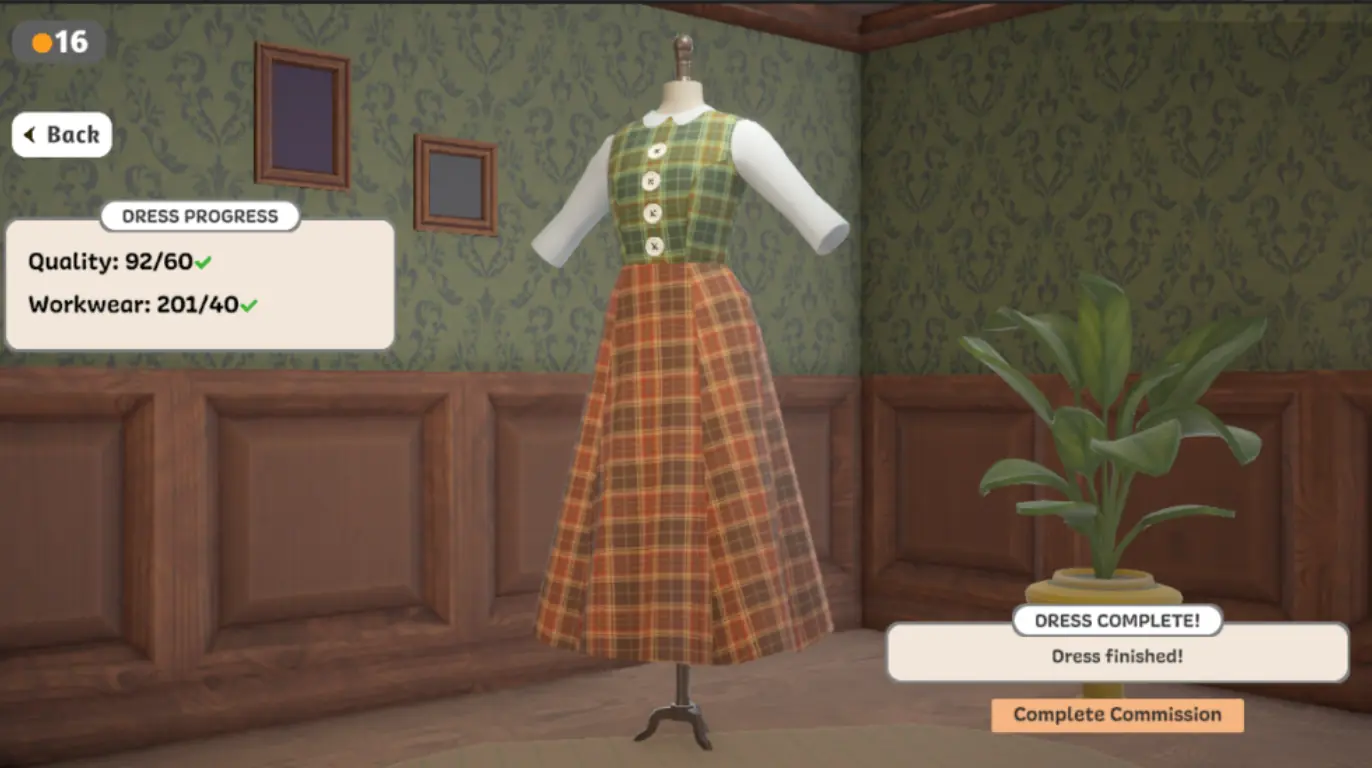
Notice that the dress still waits for you to press Complete Commission. Finishing the garment and satisfying the brief are two separate events, and the panel is where you check the second one. The quality targets guide shows a second result screen where a finished dress sits below its target, which is exactly the case worth recognising.
If a value misses the target, change one design or making choice on your next attempt. That makes the result easier to learn from than changing fabric, silhouette and finishing all at once. You can also record the visible brief in our private commission checklist.
What to try next
Rose's order is deliberately simple, which makes it a good first commission and a poor final one. Once you have completed it, the interesting questions are the ones the tutorial cannot answer for you: what does a fabric change do to the style tags, which of your choices the result panel actually reflects, and what a harder customer's requirements look like when the numbers change.
The Steam listing describes the complete game, which is separate from the browser prototype in these screenshots.
Last updated: 24 October 2026